Two people, one hanging microphone, the orange wall. The meme that took over TikTok in September.
How to make the AI Hotel Lobby trend: upload two photos and you and a friend take the orange booth and the hanging mic. One click, a 14-second MP4.
2 photos
14s
4:3
♪ The audio of the trend clip
✦ Trend costumes
Photos in
The white captain's coat on the left, the orange hat on the right.
What is the AI Hotel Lobby trend?
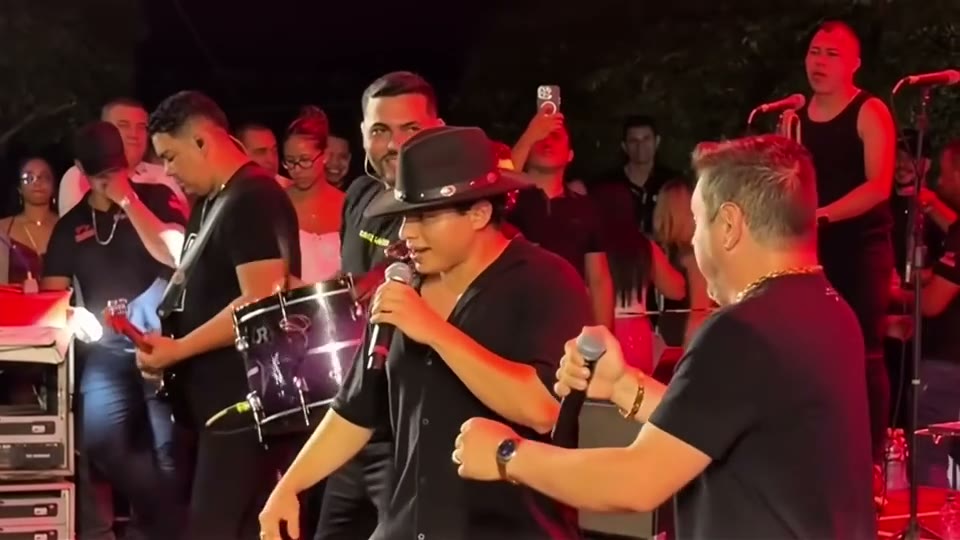
The AI Hotel Lobby trend copies one of the most watched performances on the COLORS YouTube channel: Quavo and Takeoff rapping "Hotel Lobby" in front of a flat orange wall, sharing one microphone that hangs from the ceiling. Creators use AI video tools to replace the two of them with other people or characters, who then perform the song.
Template clip: an AI swap of the booth, posted 28 September 2026. Trend began: September 2026. @pokito.ai on TikTok
Why everyone is remaking it
The first big swap, two characters from the TV series Suits, went up on 16 September 2026, and within days the booth was full of cats, cartoon characters, couples and coworkers. Takeoff died in 2022, and some fans have asked people to keep their versions respectful. Our template keeps the booth, the camera and the moves of the clip, and puts your two people at the mic.
How the Hotel Lobby AI trend went viral
June 17, 2022: COLORS releases Quavo and Takeoff performing "Hotel Lobby"; Know Your Meme counts more than 121 million views since. Know Your Meme
September 16, 2026: @glorify_studio swaps in two characters from Suits. By 10 October: 1.79 million plays and 212,000 likes. TikTok
September 28, 2026: @pokito.ai posts the swap our template is built on. By 10 October: 378,000 plays. TikTok
Play counts were read on October 10, 2026 and keep changing.
The Hotel Lobby AI trend, beat by beat
0–2.5s
A locked-off 4:3 shot in front of the flat orange wall. The right performer raps at the hanging mic with one arm stretched out at the camera; the left one stands calm, hands clasped.
2.5–5.5s
The right performer gestures with the rhythm, counting on their fingers; the left one rubs their hands and smiles.
5.5–8.5s
The right performer leans in to the mic, rolls both hands outward and starts to turn away.
8.5–11.5s
Back fully to the camera, one arm over the head, while the left performer takes over the verse.
11.5–14s
Slightly tighter framing: they face each other across the mic and trade the last lines.
2 ways to make the Hotel Lobby AI trend
Trend costumes: Two photos; you wear the white coat and the orange hat from the clip.
Your outfits: Same booth and moves, in the clothes from your photos.
Trend costumes
How to make a Hotel Lobby video
Pick your photos
Two photos, one person each, face clearly visible. Photo 1 stands on the left, photo 2 on the right and raps toward the mic.
Choose the look and sound
Trend costumes or your own outfits; keep the trend sound or pick No song.
Generate
Pick 480p, 720p or 1080p. Failed videos are refunded automatically.
Download and post
Download the 14-second MP4 and post it on TikTok, Reels or Shorts. Label it as AI-generated where the app asks.
Make the Hotel Lobby AI trend yourself: what the prompt needs
The booth looks simple, which is why short prompts fail: models add furniture, move the camera or drop the hanging mic. With an image-to-video model that takes two reference photos, such as Seedance, Kling or Veo, cover these points.
The booth: One seamless burnt-orange wall, soft even light, nothing else in the room.
The microphone: A silver vintage mic hanging on a cable at head height, exactly between the two. Without it, it is not Hotel Lobby.
Left and right: Say which photo stands left and which right, who is closer to the mic, and what each wears: the trend costumes or their own clothes.
A static camera: Tripod at chest height, framed from mid-thigh up, 4:3, no camera movement at all.
The exchange: Time-stamp who raps when, the turn-away and the face-off at the end, with both lip-syncing on the beat. Add the song afterwards in TikTok.
Photo tips for Hotel Lobby
Both people get waist-up shots and a few turns of the head, so front-facing photos with the whole face visible work best.
Hair, beards and glasses come from your photos; the outfits stay as in the clip unless you pick Your outfits.
The Ultimate "Hotel Lobby" Collab We Didn't Know We Needed
Clips belong to their creators and are shown with credit and a link to the original post. Creators can ask us to remove a clip.
Hotel Lobby FAQ
How do I do the AI Hotel Lobby trend?
+
Upload one photo of each person to the maker on this page and press Generate. Photo 1 stands on the left, photo 2 on the right. In a few minutes you get a 14-second MP4 of the two of you in the orange booth, with the trend sound.
What is the AI Hotel Lobby trend?
+
An AI video trend based on Quavo and Takeoff's COLORS performance of "Hotel Lobby". People replace the two performers in the orange booth with friends, partners, characters or pets, and post the result on TikTok and X. It took off in mid to late September 2026.
Who will be on the left and on the right?
+
Photo 1 becomes the person on the left in the long white coat, photo 2 the person on the right in the orange hat. Swap the photos if you want to change sides.
Can we keep our own clothes?
+
Yes. Choose Your outfits and both of you perform in the clothes from your photos; Trend costumes dresses you like the clip.
Is this the original COLORS video?
+
No. The AI films a new 14-second version of the booth with your two people. We do not use or host the COLORS recording.
Which AI is used for the Hotel Lobby trend?
+
Image-to-video models that accept two reference photos, such as Seedance, Kling and Veo; the song is usually added in TikTok. This template runs on Seedance 2.0 with your two photos as the only references.
What prompt do I use for the AI Hotel Lobby trend?
+
Describe the empty orange booth, the hanging microphone between the two, who stands left and right, a locked-off 4:3 camera and the exchange in time slots. The section above explains each part, or use this template, which has it built in.
People also search for
ai hotel lobby trend
hotel lobby ai video
quavo takeoff hotel lobby ai
hotel lobby colors ai trend
hotel lobby ai two people
hotel lobby ai couple video
orange wall hanging mic ai
how to make hotel lobby ai trend
How to Make the AI Hotel Lobby Trend
The AI Hotel Lobby trend puts two people in front of a flat orange wall, sharing one microphone that hangs from the ceiling, performing like Quavo and Takeoff in their COLORS session. This guide covers where it came from, the moves to hit, the two-photo way, the do-it-yourself way and the details that make the booth look right.
It copies one of the most watched performances on the COLORS YouTube channel: Quavo and Takeoff rapping "Hotel Lobby", released on 17 June 2022. On 16 September 2026 @glorify_studio swapped in two characters from Suits and passed 1.8 million plays; within days the booth was full of cats, cartoon characters, couples and coworkers.
Takeoff died in 2022, and some fans have asked people to keep their versions respectful. The format: same booth, same camera, same exchange at the mic, two new people.
The booth looks simple, which is exactly why short prompts fail: models add furniture, move the camera or drop the hanging mic. With a model that takes two reference photos, cover every detail.
Choose the model and format
Seedance 2.0, Kling or Veo; 4:3 if available (or 16:9), about 14 seconds.
Add reference stills
Three or four frames from the clip help the model copy the orange, the framing and the mic position.
Describe the booth and the exchange
See the checklist below.
Add the song
Generate without music and pick the trend sound in TikTok or CapCut.
What your prompt has to cover
The booth. One seamless burnt-orange wall, soft even light, nothing else in the room.
The microphone. A silver vintage mic hanging on a cable at head height, exactly between the two.
Left and right. Which photo stands where, who is closer to the mic, and what each wears.
A static camera. Tripod at chest height, framed from mid-thigh up, no movement.
The exchange in time slots. Who raps when, the turn-away and the face-off at the end, both lip-syncing on the beat.
Common mistakes and how to fix them
The mic is missing or on a stand. Describe it hanging on a cable from the ceiling, between the two.
The camera moves. Say locked-off tripod, no camera movement.
People swap sides. State left and right for each photo explicitly.
Extra props appear. Repeat that the room is empty except for the wall and the mic.
Label your video as AI-generated where TikTok, Instagram or YouTube ask. It is required on most platforms and does not hurt reach.
AI Hotel Lobby examples
The Suits swap that started it and some of the most played remakes.