How to Make the Bulin 47 AI Trend
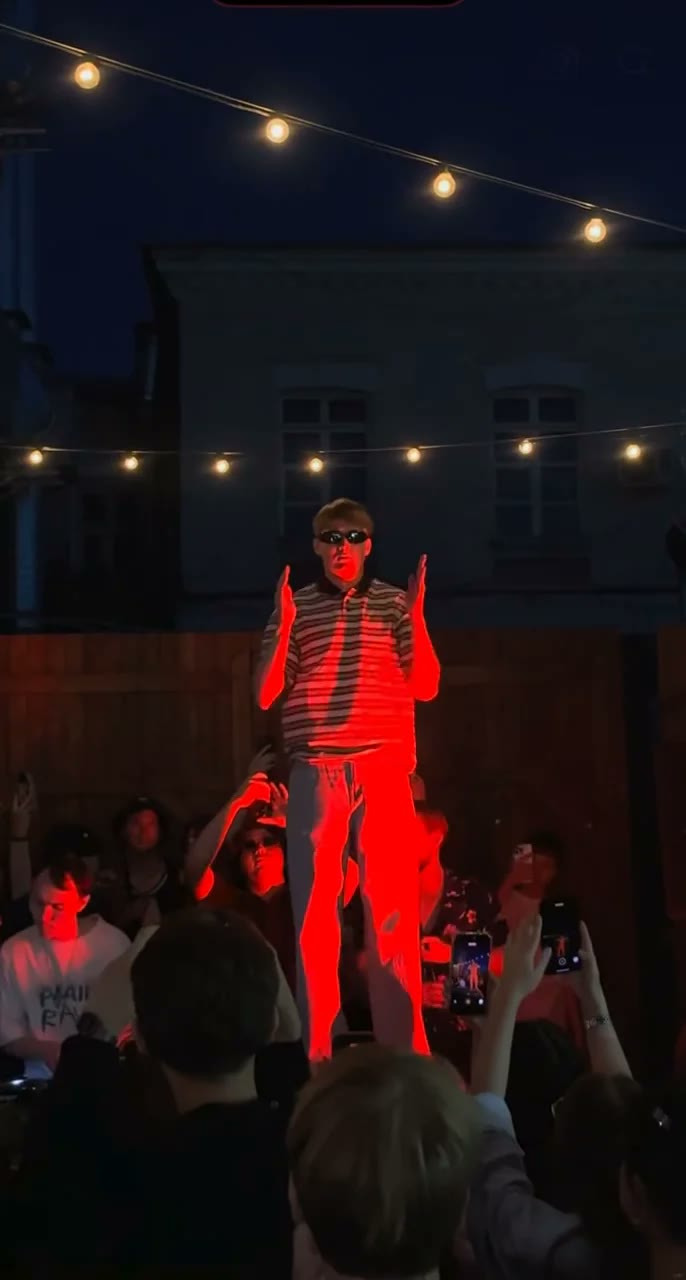
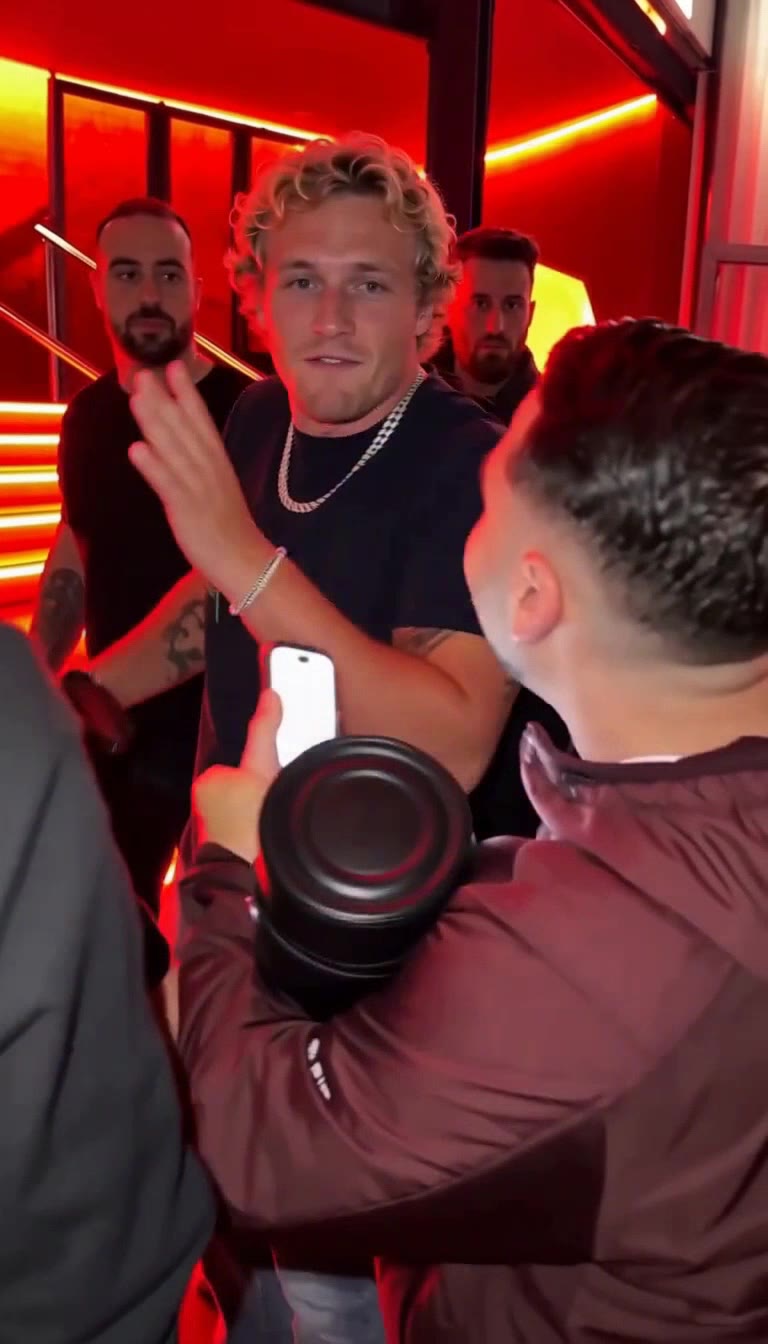
The Bulin 47 AI trend recasts a street freestyle: red lights at a restaurant entrance, a man holding a portable speaker on his shoulder, a crowd filming on their phones, and someone new rapping in the middle. This guide covers where it came from, the beats to hit, the one-photo way, the do-it-yourself way, and how to keep the raw phone-video feel that makes it work.
What the Bulin 47 AI trend is
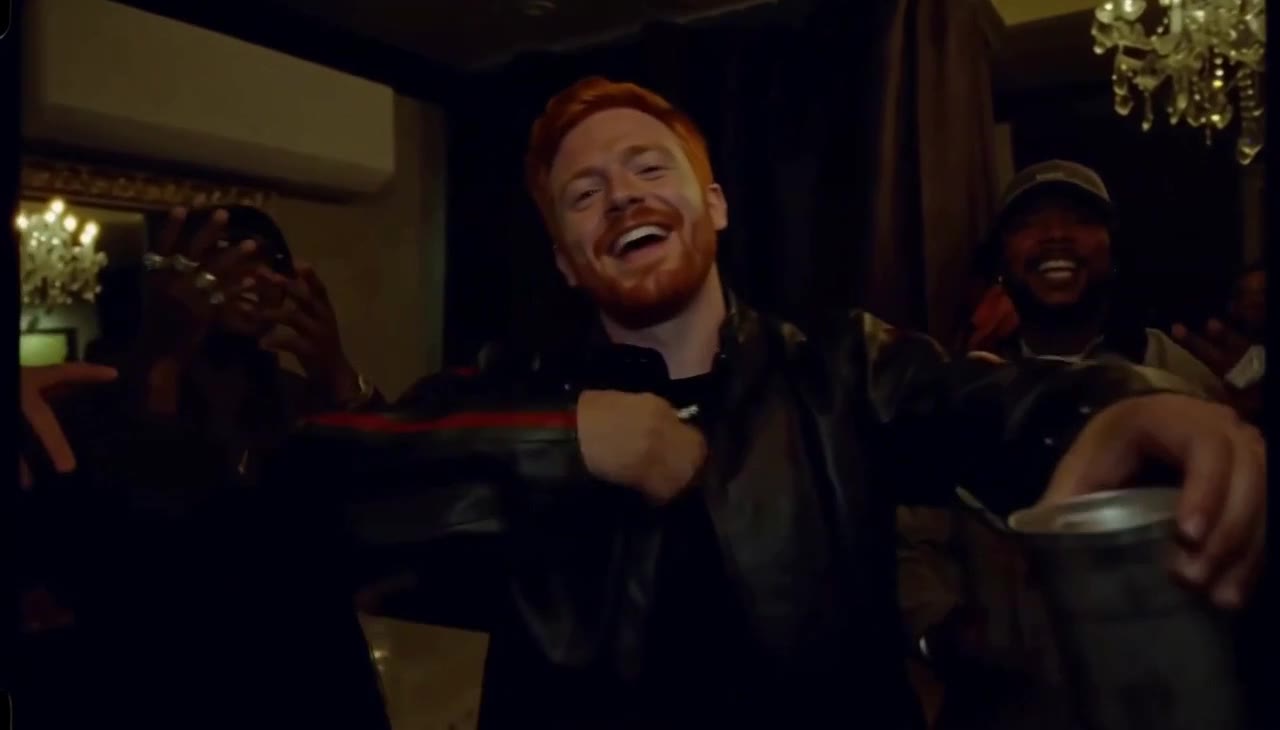
On 2 October 2026 @kevincitooficial11 filmed the Dominican artist Bulin 47 answering a dembow beat from a portable speaker with an improvised freestyle, under red lights at a restaurant entrance, while everyone around filmed. It passed 4 million plays within a week.
Days later the AI versions began: a cat in the freestyle spot on 6 October, then @visjanukcenaj with his own face on 8 October, which our template copies. The speaker, the crowd, the red light and the shaky camera stay; only the person in the middle changes.
The 10 seconds, beat by beat
It looks unplanned, but every good remake hits the same beats:
| Time | What happens | Why it matters |
|---|---|---|
| 0–2 s | Steps into the circle, starts rapping, fist tapping the chest | Establishes who is freestyling |
| 2–4 s | Camera pushes in between shoulders; hands gesture at the speaker | The speaker is part of the joke |
| 4–6 s | Leans toward the speaker, rapping hard, a phone screen glowing in the foreground | The phone-in-the-crowd look |
| 6–8.5 s | A sudden wide-eyed face to camera; a peace sign pops into frame | The reaction moment people screenshot |
| 8.5–10 s | Arms shoot up from the crowd, everyone cheers | The ending energy |
Keep it raw. A smooth, cinematic camera makes it look like an ad and loses the trend.
What you need
- One photo of the person who freestyles: front-facing, face clearly visible. The red light is strong, so a well-lit photo helps.
- An AI video tool: our Bulin 47 template, or an image-to-video model such as Seedance, Kling or Veo.
- The trend sound: added by the template, or picked in TikTok so your post joins the trend.
Method 1: the one-photo way (about 5 minutes)
Open the template
Go to the Bulin 47 AI generator. The red-lit entrance, the speaker, the crowd and the camera are set up.
Upload your photo
One person, face clearly visible. You stand in the middle in the black T-shirt and chain.
Pick the crowd
Just you keeps the crowd from the clip. Theme crowd keeps you in the middle and turns everyone around you into Horror night, a Zombie crowd or Football fans.
Keep or drop the sound
The trend sound plays by default; pick No song to add the official sound in TikTok.
Generate and download
Choose 480p, 720p or 1080p. You get a 10-second vertical MP4 in a few minutes; failed videos are refunded automatically.
Make the Bulin 47 video with one photo
10-second 9:16 video with the trend sound, from 35 credits. No prompt needed.
Open the Bulin 47 generatorMethod 2: make it yourself with an AI video model
Any image-to-video model that keeps a face from a photo can do it if the scene is described precisely. Reference stills from the original clip help a lot with the red light and the crowd.
Choose the model and format
Seedance 2.0, Kling or Veo; vertical 9:16, about 10 seconds.
Collect three or four stills
Grab frames at the start, the speaker push-in, the surprised face and the cheering, and add them as reference images if your model accepts them.
Describe the scene
See the checklist below.
Add the sound
Generate with crowd sound and pick the official sound in TikTok.
What your prompt has to cover
- The red-lit entrance. A restaurant entrance at night, red LED strips on the wall and steps, a glass door with warm light behind.
- The speaker and the phones. A man in the foreground with a big portable speaker on his shoulder, filming; others filming behind.
- Phone-camera feel. Handheld, close, shaky and drifting, slight noise, vertical.
- The person in the middle. Face from your photo; black T-shirt, silver chain, light jeans unless you want your own clothes.
- The beats in time slots. Chest taps, pointing at the speaker, the surprised face, the cheering at the end.
Common mistakes and how to fix them
- It looks like a music video. Ask for a shaky handheld phone camera and noise; remove words like cinematic.
- No speaker. Name the man with the speaker on his shoulder and where he stands.
- The face goes dark in the red light. Use a brighter, front-facing photo.
- The crowd is static. Give them actions: filming, waving, cheering at the end.
Label your video as AI-generated where TikTok, Instagram or YouTube ask. It is required on most platforms and does not hurt reach.
Bulin 47 AI examples
The original freestyle and the most played remakes, from own-face versions to a cat.
El Artista Kevincito Se La Vacila Cantando Dembow Con Bulin 47
Bulin 47 trend
El freestyle de Bulin 47 en Madrid está por todas partes
Make the Bulin 47 video with one photo
10-second 9:16 video with the trend sound, from 35 credits. No prompt needed.
Open the Bulin 47 generatorFAQ
Who is Bulin 47?
A Dominican dembow artist. The trend comes from a street freestyle filmed on 2 October 2026, which passed 4 million plays on TikTok in a week.
Can I put my pet in the Bulin 47 video?
This template is built for a human face. Pet versions exist on TikTok, but results with animals are less reliable here.
Which AI is used for the Bulin 47 trend?
Image-to-video models that keep a face from a photo, such as Seedance, Kling and Veo. Our template runs on Seedance 2.0 with stills from the clip as references.
How long does it take?
About five minutes with the template, most of it waiting for the video. Failed videos are refunded automatically.