Como fazer um vídeo GTA Goodbye com IA
Comece com um retrato, escolha uma edição e termine com um MP4 vertical. O passo a passo cobre o fluxo do template e os prompts que você pode usar num modelo de referência para vídeo.
Faça o vídeo a partir de um retrato
Escolha uma cena
Abra o gerador GTA Goodbye. Escolha Despedida ou Tela de carregamento e selecione uma cena para assistir ao vídeo de referência.
Envie as fotos certas
Use um retrato nítido, de frente, de um adulto. A tela de carregamento do casal usa dois retratos separados. O primeiro fica à esquerda e o segundo à direita.
Escolha a qualidade e gere
Escolha 480p ou 720p. Confirme que você tem permissão para usar os retratos e gere a despedida de 15 segundos ou a revelação de 8 segundos.
Baixe o resultado
Quando o trabalho terminar, abra o resultado no player ou em Meus vídeos. Escolha Baixar MP4 para salvar o clipe vertical.
Escolha uma foto que sobreviva ao corte
- Para um close, escolha um retrato com luz suave e os dois olhos visíveis. Um rosto pequeno numa foto de grupo deixa o modelo adivinhar os traços.
- Para O tempo voa, use uma foto recente. O prompt pede uma mudança de idade e mantém os olhos e as proporções do rosto consistentes.
- Para uma dupla, use dois cortes parecidos, com luz parecida. Deixe cada adulto sozinho na própria foto.
Copie um prompt para cada cena
Use o modo referência para vídeo, defina 9:16 e ligue o áudio gerado. Escolha 15 segundos para as despedidas ou 8 segundos para as revelações de tela de carregamento. Anexe cada retrato como referência de identidade na ordem citada no prompt.
Despedida no píer (em inglês)
Create a vertical 9:16 video, 15 seconds long, in an original coastal city.

Cast the adult from reference image 1 as the lead. Use the photo for identity and wardrobe. Preserve facial structure, skin tone, hairstyle and clothing throughout.

0–4s · Open on a sunset pier. The adult lead approaches three original adult friends beside the railing. Hold a wide four-person composition as one friend steps up to greet the lead.

4–7s · Cut to a medium side view by the pier parking area. The lead and one friend share one brief handshake, then release. A parked, unbranded coupe sits behind them.

7–10s · Cut tight on the lead's face. Let their expression settle from a fleeting smile to a quiet goodbye.

10–13.5s · Cut inside the parked coupe. The lead settles into the driver's seat and brings a hand up to the wheel.

13.5–15s · Cut to the friends from behind, facing the road. The same coupe leaves the frame in the distance.

Audio: Carry gentle pier wind and lapping water into the handshake. Let seat fabric and a quiet engine idle enter only in the cabin. Finish with a soft original ambient tone. Generate new sound. No dialogue, lyrics or recognizable melody.

Keep faces and limbs consistent across cuts. No visible text, watermarks, logos, recognizable franchise characters or replicated game assets.O tempo voa (em inglês)
Create a vertical 9:16 video, 15 seconds long, in an original coastal city.

Cast the adult from reference image 1 as the lead. Use the photo for identity and wardrobe. Preserve facial structure, skin tone, hairstyle and clothing throughout.

0–3s · In clear daylight on a pier, show a younger adult version of the lead approaching their three adult friends. Alternate the rear wide shot with each friend's reaction.

3–6s · Show the lead trading a single fist bump with the nearest friend in close-up, then cut back to the group's faces. Establish the exact angle for the repeated gesture.

6–9s · Match cut to sunset years later on the same pier. The lead is visibly older, with the same face shape, eyes and hairline. Repeat the fist bump in the same position and framing.

9–11.5s · Give the older lead a close-up. One friend places a hand on their shoulder while another waits in the background.

11.5–15s · Cut wide for a brief hug and close again on the lead's reaction. Hold the final embrace against the sunset.

Audio: Use a light pier ambience across both visits. Match a quiet sleeve sound on the two fist bumps and carry an original sustained chord through the time cut. Generate new sound. No dialogue, lyrics or recognizable melody.

Keep faces and limbs consistent across cuts. No visible text, watermarks, logos, recognizable franchise characters or replicated game assets.O último passeio (em inglês)
Create a vertical 9:16 video, 15 seconds long, in an original coastal city.

Cast the adult from reference image 1 as the lead. Use the photo for identity and wardrobe. Preserve facial structure, skin tone, hairstyle and clothing throughout.

0–3.5s · From inside a vintage, unbranded convertible, frame the lead's eyes in the rearview mirror. They adjust the mirror once and look forward.

3.5–5s · Cut outward to a coast road and briefly follow a friend riding ahead. Keep the direction of travel consistent with the cabin.

5–8.5s · Track beside the convertible to see the lead's driving profile. A friend draws alongside in a second car and the lead glances over for a moment at cruising speed.

8.5–11s · Return to a windshield view as the road opens into golden light. Keep the same vehicle and wardrobe as in the mirror shot.

11–14s · Cut to a steady follow shot behind the second car. The two cars continue down the empty road.

14–15s · Cut back to the lead for a small, unguarded grin.

Audio: Build a quiet road and tire sound bed. Keep a steady engine note between interior and exterior shots, then lift in a brief, original instrumental cue under the final smile. Generate new sound. No dialogue, lyrics or recognizable melody.

Keep faces and limbs consistent across cuts. No visible text, watermarks, logos, recognizable franchise characters or replicated game assets.Retrato solo da tela de carregamento (em inglês)
Create a vertical 9:16 video, 8 seconds long, in an original coastal city.

Cast the adult from reference image 1 as the lead. Use the photo for identity and wardrobe. Preserve facial structure, skin tone, hairstyle and clothing throughout.

0–2.5s · Start on a casual indoor mirror portrait of the uploaded adult. Keep their upper body, expression and phone visible. Hold the composition nearly still.

2.5–4s · Reveal the painted version from the bottom. The phone and clothing line up with the photo while the lower background becomes a waterfront boulevard.

4–5.5s · The same upward wipe reaches the face and then the skyline, preserving the lead's pose, gaze and facial proportions as the photo becomes a painted portrait.

5.5–8s · Hold the completed solo portrait against a pink-violet dusk skyline, with a small drift in only the distant background.

Audio: Quiet indoor tone until the wipe, a soft original transition sweep, then low city air and a short synth chord. Generate new sound. No dialogue, lyrics or recognizable melody.

Keep faces and limbs consistent across cuts. No visible text, watermarks, logos, recognizable franchise characters or replicated game assets.Tela de carregamento do carro vermelho (em inglês)
Create a vertical 9:16 video, 8 seconds long, in an original coastal city.

Cast the adult from reference image 1 as the lead. Use the photo for identity and wardrobe. Preserve facial structure, skin tone, hairstyle and clothing throughout.

0–2.5s · Open on an angled selfie of the lead seated inside a car, one hand near their temple. Keep the visible face, outfit and hand position stable.

2.5–4s · As the bottom edge switches to illustration, show the red door line of an original coupe first. Let the painted sleeve and raised hand emerge in the same silhouette as the photo.

4–5.5s · Complete the wipe across the lead's face and the cabin roof. The former dark interior gives way to a bright coastal street with palms and glowing art-deco shapes.

5.5–8s · Hold the lead and the red coupe in a finished three-quarter composition. Keep the face crisp and the vehicle clearly readable.

Audio: Start with soft cabin ambience. During the wipe add a subtle airy sweep that tracks the rising edge. End with distant street ambience. Generate new sound. No dialogue, lyrics or recognizable melody.

Keep faces and limbs consistent across cuts. No visible text, watermarks, logos, recognizable franchise characters or replicated game assets.Tela de carregamento do casal (em inglês)
Create a vertical 9:16 video, 8 seconds long, in an original coastal city.

Cast the adult from reference image 1 on the left and the adult from reference image 2 on the right. Preserve their distinct faces, hair, clothes and skin tones through the reveal.

0–2.5s · Place the two adults side by side in a mirror portrait, reference image 1 on screen-left and reference image 2 on screen-right. The left adult holds a phone in front of their torso. Both faces are visible.

2.5–4s · The rising matte first reveals their two painted outfits and the street below. Keep both silhouettes aligned with the live-action shoulders and preserve the gap between them.

4–5.5s · Carry the wipe evenly over both faces and the room above them, revealing a waterfront skyline. Each person keeps their own features, clothes and position.

5.5–8s · Hold the finished two-person composition. Frame both faces at a similar size against the pink harbor sky.

Audio: Low room tone at the start, a single soft paper sweep as both portraits change together, then a quiet original ambient chord under the final frame. Generate new sound. No dialogue, lyrics or recognizable melody.

Keep faces and limbs consistent across cuts. No visible text, watermarks, logos, recognizable franchise characters or replicated game assets.Faça uma tela de carregamento estática
Use um modelo de edição de foto para produzir uma ilustração vertical 9:16 a partir dos seus retratos. Exporte em PNG para um card estático. Para fazer a revelação de oito segundos num editor, alinhe a foto de origem e a ilustração, segure a foto por 2,5 segundos, faça uma transição para cima por 3 segundos e segure a ilustração nos últimos 2,5 segundos.
Retrato solo · imagem estática (em inglês)
Edit the uploaded adult portrait into an original vertical 9:16 painted loading-screen card. Preserve the face, hair, clothing, expression, phone placement and pose. Keep the subject at the same scale and position as the source photo so the two frames align. Replace the room with a fictional waterfront at violet dusk. Use graphic shadows and warm highlights. No lettering, logos or game UI.Carro vermelho · imagem estática (em inglês)
Create a vertical 9:16 painted card from the uploaded adult portrait. Preserve the face, clothing and hand position. Place the subject beside the red door of an original unbranded coupe on a coastal boulevard with palms and bright art-deco lighting. Keep the face and shoulders aligned with the source portrait, with the door visible in the lower third. No lettering, logos or game UI.Casal · imagem estática (em inglês)
Create an original vertical 9:16 painted waterfront card using two separate adult portraits. The adult from image 1 is on the left and the adult from image 2 is on the right. Preserve each person's features, hair and outfit. Keep their heads similarly sized and both faces clear against a pink harbor sky with architectural silhouettes. No lettering, logos or game UI.Corrija um problema de identidade ou de tempo
| Problema | O que mudar |
|---|---|
| O rosto muda num corte | Use um corte com o rosto maior. Repita a mesma roupa e a mesma altura de câmera dos dois lados da edição. |
| O aperto de mão se enrola | Peça um aperto breve com um amigo. Corte para a reação assim que as mãos se separam. |
| O pôster começa cedo demais | Coloque a espera da ação ao vivo e a transição em intervalos separados. Mantenha a espera da ilustração nos últimos 2,5 segundos. |
| A dupla troca de lado | Anexe cada retrato separadamente e nomeie as duas posições na tela no plano de abertura e de novo depois da transição. |
Veja a quebra de planos do GTA Goodbye para a sequência de cada cena.
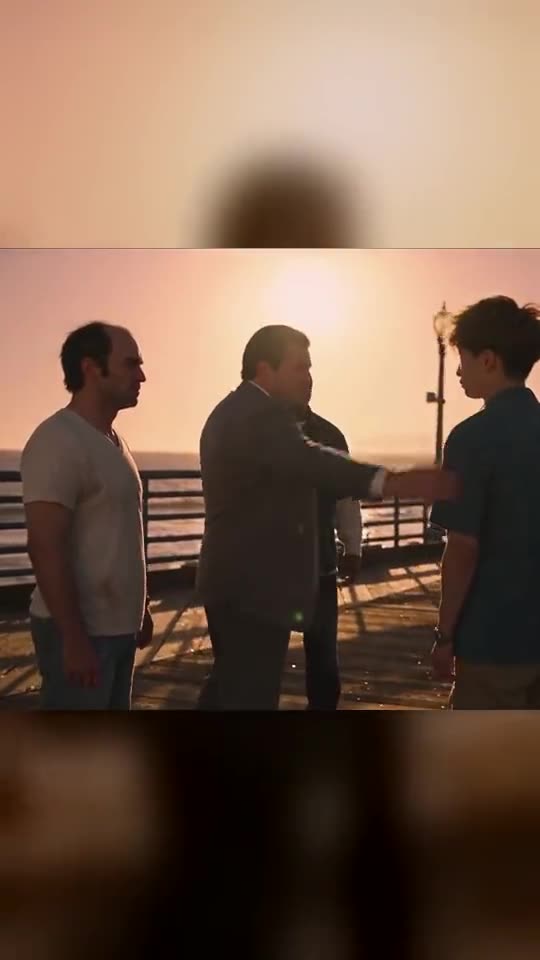
Crie o vídeo GTA Goodbye com 1–2 fotos
Vídeo de 8 / 15 segundos em 9:16, com áudio próprio, a partir de 100 créditos. Sem prompt.
Abrir o gerador de GTA GoodbyeDúvidas frequentes
Posso usar uma única foto de grupo no pôster em dupla?
Recorte cada adulto que consentiu numa foto separada, para o template atribuir a esquerda e a direita.
Posso rodar os prompts em outra ferramenta de vídeo?
Sim. Escolha um modelo com referências de imagem. Iguale a duração à da cena e use instruções visuais e de áudio separadas.
Onde eu pego o MP4 pronto?
Use Baixar MP4 no player do resultado ou encontre o clipe pronto em Meus vídeos.