How to Make a Bicep Heart AI Video
A flex, a heart and a smile: choose a scene and turn one portrait into a Bicep Heart video. The motion reference and instructions are built in.
Make your video in three steps
Choose a scene
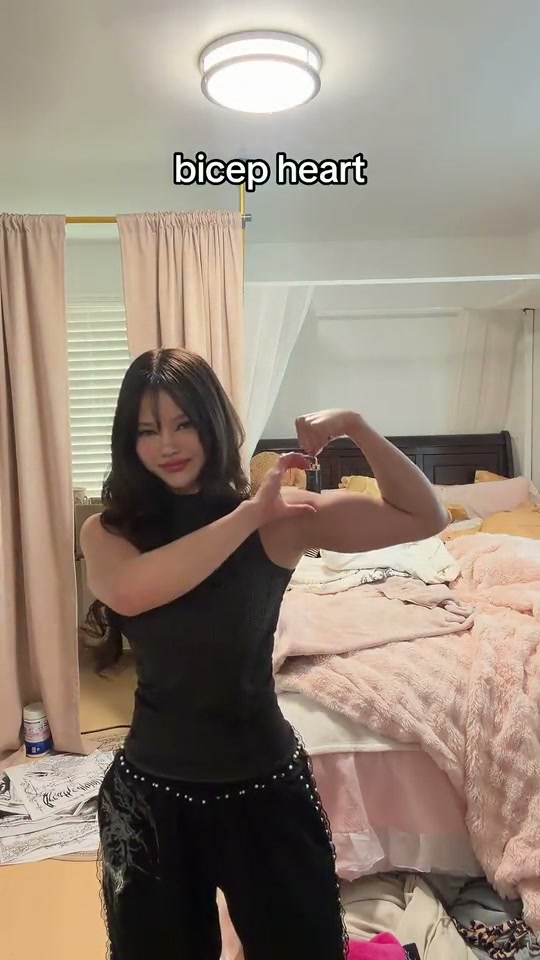
Open the Bicep Heart maker. Bedroom Flex steps back into a standing pose; Bed Selfie is seated; Lean In brings the gesture close to the camera.
Add one photo
Upload a clear, front-facing portrait with your face, hair, outfit and both arms visible. A knee-up or full-length image gives Bedroom Flex more clothing detail to work with.
Pick quality and generate
Choose 480p for 100 credits or 720p for 140 credits. Sign in, generate your 10-second vertical video, then preview and download it when ready.
Créez la vidéo Bicep Heart AI avec une photo
Vidéo de 10 secondes au format 9:16, avec son propre audio, à partir de 100 crédits. Aucun prompt requis.
Ouvrir le générateur Bicep Heart AIChoose a photo that gives the pose room
Use a sharp, well-lit image of one person facing the camera. Keep the face, shoulders and arms unobstructed; short sleeves can make the bend easier to read. Use a photo you have permission to animate.
A tight face crop leaves the model to invent the arms and outfit. A wider photo can give it more useful detail.
What happens in each scene
| Scene | Movement | Photo tip |
|---|---|---|
| Bedroom Flex | Steps back, raises an arm, forms the heart and finishes in a pose. | A knee-up or full-length portrait helps show clothing. |
| Bed Selfie | Seated flex, heart gesture and smile. | A clear upper-body photo with visible arms works well. |
| Lean In | Gestures near the camera and brings the flex and heart close to the lens. | Use a sharp portrait with the face and arms visible. |
The reference clips guide movement and framing; your photo guides identity. The video is newly generated, so the exact timing and shape can vary.
If the heart or hands look wrong
- The heart stays open: try a photo with both arms clearly visible and less overlap.
- Hands look distorted: choose a sharper image and try a different scene.
- The outfit changes: show more of the outfit in the photo, especially for the standing take.
- Timing differs: the reference guides the motion; exact timing is not guaranteed, and Lean In uses a longer reference than the 10-second output.
Read the Bicep Heart trend overview for more about the gesture and the three takes.
FAQ
Do I need to upload a reference video?
No. Each scene includes its own motion reference; you provide one photo.
Does the finished video include the reference audio?
Yes. The original audio from the selected reference clip is added after generation. Shorter tracks end with silence and longer tracks are trimmed to fit.
How much does it cost?
The 10-second video costs 100 credits at 480p or 140 credits at 720p.