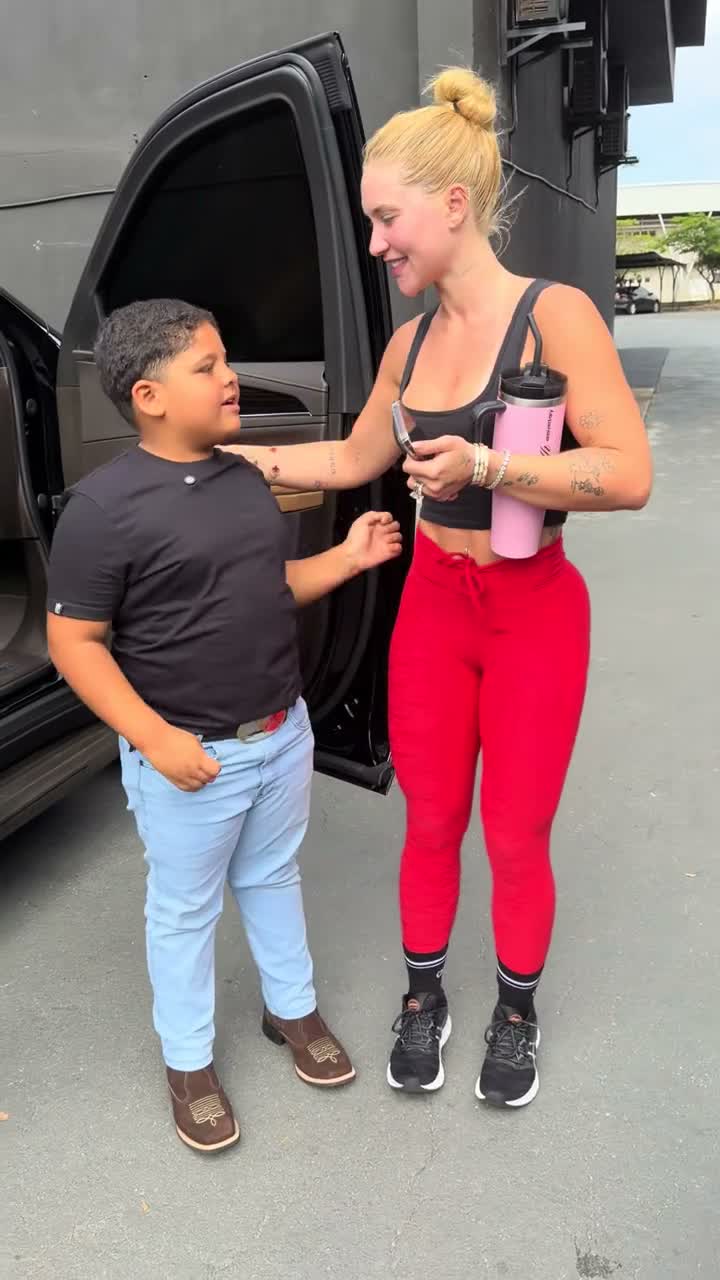
How to Do the I Love The Smiths AI Trend
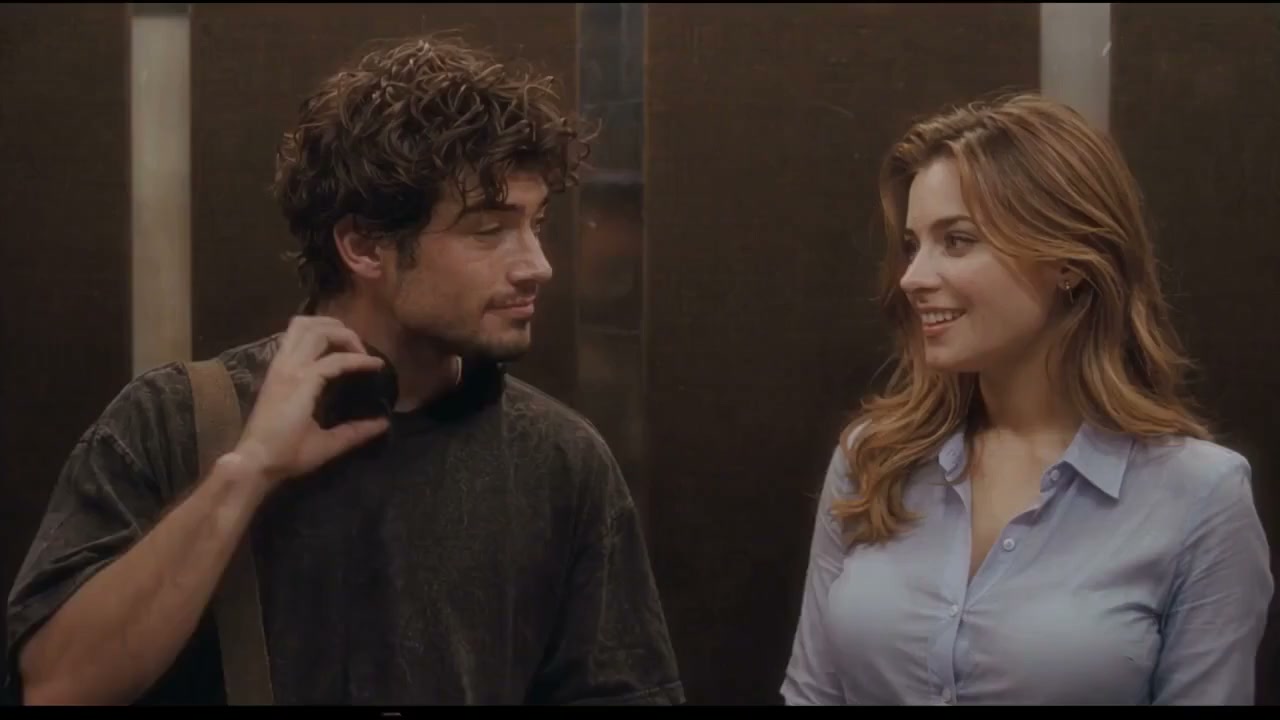
The I Love The Smiths AI trend recasts the famous elevator scene from (500) Days of Summer (2009): two strangers stand in a dim metal elevator, one wearing big headphones, the other says "I love the Smiths", headphones come down with a "Sorry?", and an intimate connection sparks. In November 2026, TikTok creators turned this scene into a viral AI video trend where anyone can put their own faces into the scene. This guide covers where the trend came from, the 15 seconds beat by beat, photo selection, the one-click template, the DIY prompt method, and how to avoid common mistakes.
What the I Love The Smiths trend is
In the 2009 romantic comedy (500) Days of Summer, Tom Hansen (Joseph Gordon-Levitt) stands in an office elevator listening to "There Is a Light That Never Goes Out" by The Smiths on his headphones. Summer Finn (Zooey Deschanel) enters, hears the music leaking out, and breaks the silence with "I love the Smiths". He pulls down his headphones, bewildered, and she repeats it with a coy smile before stepping out.
The audio snippet became a perennial TikTok sound. In October 2023, creators like @jaimeadler acted out the lines to over 4.2 million plays. In November 2026, TikTok creator @svkqg8 sparked a new AI video wave by replacing the original actors with custom photo-generated people using AI video models, followed immediately by CapCut templates from creators like @zora.pansy_win.
The 15 seconds, beat by beat
Every AI remake preserves the continuous, locked-off two-shot inside the elevator. The camera never cuts, keeping both passengers in a close 16:9 frame:
| Time | What happens | Why it matters |
|---|---|---|
| 0–3.0 s | The listener on the left stands with headphones draped around their neck; the speaker on the right glances over with a gentle smile and says "I love The Smiths" | The opening setup; breaking the ice |
| 3.0–7.0 s | The listener turns their head toward the speaker with a surprised, puzzled expression and asks: "Sorry?" | The bewildered reaction that invites repetition |
| 7.0–11.0 s | The speaker smiles warmly, nodding slightly and repeating clearly: "I said I love The Smiths" | The iconic dialogue line of the trend |
| 11.0–15.0 s | Both maintain a lingering romantic gaze with subtle shy smiles as the nostalgic music swells | The romantic chemistry and tension that closes the scene |
The lingering 4-second shared gaze as the music swells is the emotional core of the scene. Holding that eye contact without rushing creates the genuine romantic connection.
Looking for the full 23-second uncut elevator scene?
This guide and our template focus on the fast-paced 15-second cut optimized for TikTok, Instagram Reels, and YouTube Shorts. If you want to recreate the complete 23-second uncut elevator scene with extended dialogue and build-up, visit I Love the Smiths AI to create the full 23s video.
What you need
- 1 or 2 photos: clear, front-facing chest-up portraits. Photo 1 always wears the headphones on the left. Photo 2 speaks the lines on the right (optional; leave empty for an AI companion).
- Permission: photos of yourself and adults who agreed to appear. Public figures, celebrities, and children are strictly prohibited.
- An AI video maker: our I Love The Smiths AI template, or an image-to-video model supporting silent motion references like Seedance 2.0 Fast.
- The dialogue audio: our template generates clean motion and lip movement against a silent reference, compositing the high-fidelity 15-second dialogue track in post-production.
Method 1: the one-click template (about 5 minutes)
Open the template
Go to the I Love The Smiths AI Video Generator. Elevator lighting, camera framing, headphone action, and dialogue pacing are all calibrated.
Upload your photos
Upload Photo 1 for the headphone wearer on the left. Upload Photo 2 for the speaker on the right, or leave Photo 2 blank to have an AI stranger cast opposite you.
Select quality and generate
Choose 480p (100 credits) or 720p (140 credits). Seedance 2.0 Fast handles the motion generation silently while the dialogue is synced automatically. Failed videos are refunded.
Download and share
Save the 15-second 16:9 MP4 video. When posting to TikTok or Reels, tag the original "I love the Smiths" audio and add #ilovethesmiths.
Crea el video I Love The Smiths con 2 fotos
Video de 15 segundos en 16:9, con el sonido del trend, desde 100 créditos. Sin prompt.
Abrir el generador de I Love The SmithsWho to cast: duo, solo, or swap
| Configuration | Setup | Best for |
|---|---|---|
| Classic couple (2 photos) | You as Photo 1 (headphones), your partner/crush as Photo 2 (speaker) | Romantic anniversaries, flirty hints, TikTok couple trends |
| Solo rider (1 photo) | Just you as Photo 1; an AI companion speaks to you | Cinematic protagonist POV, aesthetic self-edits |
| Swapped roles (2 photos) | Put yourself in Photo 2 if you want to say the iconic line | Being the one who initiates the conversation |
| Best friends (2 photos) | You and your best friend reenacting the scene | Comedy, indie movie fan tributes, group chats |
Photo tips for the cleanest result
- Front-facing, chest-up portrait: The video is a close two-shot inside an elevator. Full-length body shots from far away lose facial detail.
- Clear, even lighting: Harsh split shadows or dark club photos can cause face flicker during subtle head turns.
- One person per photo: Crop out extra friends or backgrounds. Each photo slot must contain exactly one subject.
- Clothing and styling: Your uploaded clothes carry over into the elevator scene, so pick an outfit with personality (cardigans, denim jackets, or casual tees).
Method 2: make it yourself with an AI video model
If you prefer running generations manually via raw video APIs, you can use Seedance 2.0 with reference images and a silent motion reference video. The motion video provides the camera position, headphone movement, and lip timing, while the audio is overlaid in post-production.
Extract a clean motion reference
Prepare a 15-second 16:9 video of the elevator scene and strip its audio track so the AI model generates without sound interference.
Extract the dialogue audio
Save the 15-second AAC audio track with the spoken dialogue and ambient elevator hum to mux in post-production.
Prompt the scene structure
Describe the dim brushed-metal elevator, the left passenger wearing headphones, the right passenger speaking, and the exact timestamps of each line.
Composite audio in post
Use ffmpeg to multiplex the original AAC audio back onto the generated silent video stream.
What your DIY prompt must cover
- Camera framing: One locked-off medium-close 16:9 shot showing two passengers chest-up inside an elevator, no camera movement.
- Setting: Dim brushed-metal elevator interior with overhead fluorescent lighting and vertical panel reflections.
- Left subject: Wears large black over-ear headphones, takes them down to the neck around 1.5 seconds, says "Sorry?" and "You like the Smiths?".
- Right subject: Looks over and speaks "I love the Smiths", smiles, and repeats "I said I love the Smiths".
- Timed beats: Explicit second-by-second action beats matching the 15-second timeline so lip movement aligns with the audio track.
- Negative constraints: No subtitles, no watermarks, no cuts, no extra people.
Common mistakes and how to fix them
- Lips moving when nobody is speaking: In seconds 4 to 8, the scene has no dialogue. Ensure the prompt explicitly specifies silence and eye contact during this window.
- Headphones morphing into ears: Keep the headphones description simple: "large black over-ear headphones resting around the neck after being pulled down".
- Faces blending together: When providing two photos, explicitly state: "PERSON 1 is on the left; PERSON 2 is on the right. Do not blend their facial features."
- Using celebrity photos: Automated moderation and model safety filters reject known public figures. Always use original photos.
When sharing on TikTok, Instagram, or YouTube Shorts, always remember to toggle the 'AI-generated content' label as required by platform policies.
Preguntas frecuentes
How do I do the I Love The Smiths AI trend on TikTok?
Generate your 15-second 16:9 MP4 on this page with one or two photos. Download the video with audio in sync, upload to TikTok, attach the trending "I love the Smiths" sound for algorithm boost, and label the post as AI-generated.
What movie is 'I love the Smiths' from?
It is from the 2009 romantic comedy (500) Days of Summer, directed by Marc Webb, starring Joseph Gordon-Levitt as Tom and Zooey Deschanel as Summer.
Can I make the video with just one photo?
Yes. Upload one photo to Photo 1. You will wear the headphones on the left, and an AI-generated companion will play opposite you on the right.
Is there a free CapCut filter for this?
CapCut templates paste your face onto the original movie actors, keeping their 2009 clothes. This generator films the elevator scene fresh with your real face, hair, and own clothes.
Can I make the full 23-second elevator scene?
Yes! This guide and template cover the 15-second viral cut. If you want the complete 23-second uncut elevator scene, visit https://ilovethesmiths.org/.
How long does it take and what does it cost?
It takes about 3–5 minutes. It costs 100 credits for 480p and 140 credits for 720p. If the generation fails for any reason, credits are refunded automatically.